
Sourcing Desks for Monitor-Arm Compatibility
Check the mounting area, resolve structural evidence gaps and hand over a defined desk, monitor arm and equipment configuration before making compatibility claims.
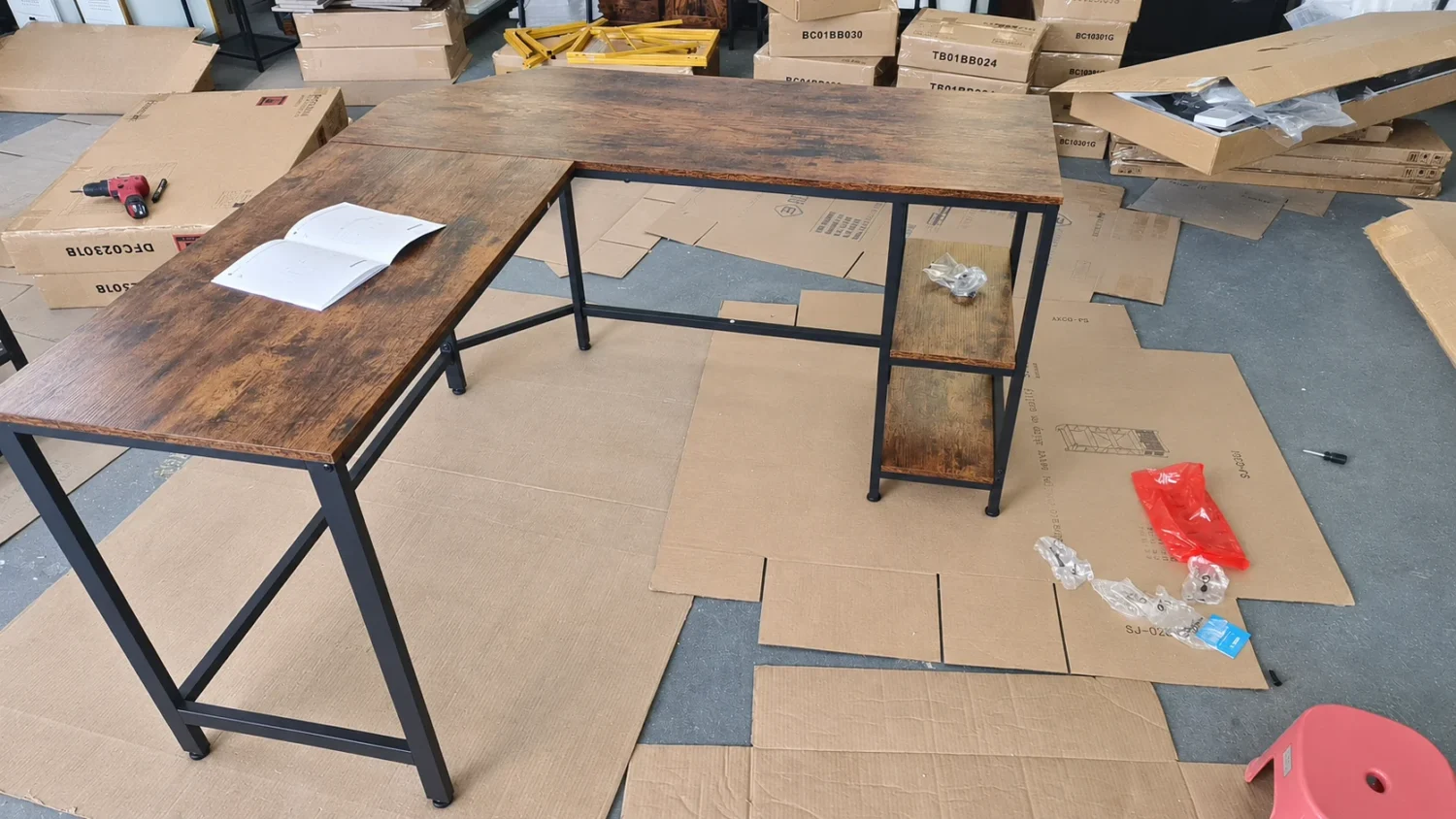
L-shaped desk showing the desktop edges, metal support frame and side shelving.
A monitor arm may fit a desk edge geometrically without there being evidence that the desk, mounting position, arm and equipment are suitable as a combination. For private-label home-office brands and ecommerce buyers, sourcing should keep those two decisions separate: first screen the proposed installation area, then establish what supports the intended use and any compatibility claim.
This guide offers a purchasing method for choosing a desk configuration and resolving missing information before specification approval. It is not an installation procedure or a claim that a particular HOMVND desk has been validated with a monitor arm.
1. Start with the Specified Arm and Equipment
Replace “suitable for a monitor arm” in the brief with the exact arm model, mounting kit and current installation instructions. Identify the monitor model or models, the equipment attached to the arm and the intended working positions. Check that the equipment meets that arm’s requirements before assessing its connection to the desk; an arm-to-monitor match does not establish a desk-to-arm match.
Ask the buyer’s product team to provide the selected mounting method, the manufacturer’s permitted mounting surfaces and restrictions, and the dimensions needed to compare the mounting hardware with the desk. Retain the document reference, revision where available and retrieval date. If the arm or equipment has not been selected, keep compatibility as an open specification question.
For example, INFTYLAB’s UK FAQ for AM01 and AM02 discusses desktop construction, edge shape, under-desk obstructions, thickness and rear clearance. Its restrictions and dimensions belong to those models; they are not universal desk criteria or evidence that a HOMVND product is compatible. Use the current instructions for the arm actually being proposed.
2. Mark the Mounting Area, Then Compare the Two Methods
Give the proposed location a reference on a desk drawing. Identify the desk model and revision, its assembled orientation, and the top and underside of that same area. Overall desk dimensions and a front-view product photograph rarely answer all the local questions.
Ergotron’s desk-mount overview distinguishes attachment at the surface edge from attachment through a grommet hole. Treat these as separate configurations to assess against the selected product’s instructions.
- Clamp mounting: compare the hardware with the actual edge profile, the upper and lower bearing surfaces, local thickness and the space needed below the edge. A thick-looking edge trim does not identify the underlying panel construction.
- Through-desk mounting: confirm whether the desk manufacturer permits the proposed hole and location. Check the required hole geometry, the surrounding construction, both bearing surfaces and underside access against the specified mounting kit. An existing cable opening is not automatically an approved mounting hole.
Changing from a clamp to a through-desk mount opens a different review; it does not automatically resolve a structural restriction. Do not remove a rail, alter a panel, add a plate or substitute hardware to bypass either manufacturer’s limitations.
| Area | Compare with the arm requirements | Request from the desk supplier |
|---|---|---|
| Desk identity and location | Exact assembled layout and marked installation point. | Model, revision and orientation; a drawing locating the proposed mounting area. |
| Edge and contact faces | Edge profile; usable upper and lower contact areas for the selected kit. | Dimensioned local views and close-up photographs from above, below and the side. |
| Local panel construction | Thickness at the contact area; relevant surface and core restrictions. | Section drawing and component specification, including any local void, joint, insert or change in construction. |
| Underside interference | Mounting hardware and access relative to rails, drawers, shelves and fittings. | Offsets and clearances measured from the marked location; underside photos of the specified layout. |
| Through-desk location | Permitted hole position and geometry; top and bottom support and access. | Desk manufacturer’s position on the proposed hole, with its drawing and applicable restrictions. |
| Movement and surroundings | Intended arm and screen positions relative to walls, hutches, storage and cables. | Relevant desk clearances; buyer supplies the room arrangement and intended equipment positions. |
Record each line as confirmed, obstructed or information missing, with its evidence reference. A completed geometric checklist describes the installation envelope; it does not by itself establish structural or load suitability.
3. Review Structural Suitability Separately
A stated total desktop load capacity does not automatically establish that a small clamp or through-desk mounting area is suitable for an arm. The local attachment and the arm’s intended positions are a different evidence question from placing equipment directly on the desktop. Likewise, an apparently substantial frame or a material name is not a compatibility result.
Ask the supplier’s technical contact which evidence addresses the proposed desk revision, mounting area, hardware and equipment configuration. Useful questions include:
- Does the desk manufacturer permit this mounting method at this location, and under what restrictions?
- What identifies the panel, local construction, supporting frame and connections in the reviewed version?
- Does the available assessment or validation address this combination and intended use? What conditions and limitations does it cover?
- If the evidence concerns another version or configuration, what documented applicability basis connects it to this proposal?
- What remains unresolved, and who will decide whether design review or additional verification is needed?
A photograph can document a visible clearance or contact surface. A trial fit can document whether the specified hardware can be positioned as intended. Neither observation alone establishes performance throughout use. Where a test report is offered, use the furniture test-report verification guide to match its specimen, method, conditions and scope to the actual question. Do not turn a general furniture report or a third-party arm specification into a desk-specific compatibility certificate.
4. Turn an Information Gap into a Specific Supplier Request
Instead of asking only “Can this desk take a monitor arm?”, send the marked installation location and the arm’s current instructions. Ask for a dimensioned section through that location, a top view, an underside view and photographs showing the edge and nearby structure. Connect each file to the desk revision and assembly direction; keep unknown dimensions unfilled rather than estimating them from a marketing image.
A useful request is: “For the marked rear-edge location on this desk revision, please identify the panel construction, local thickness, upper and lower contact areas, and the distance to the underside rail. Compare these with the attached clamp drawing, state any restrictions, and identify the evidence or technical review needed for the proposed arm and equipment.”
For an existing range, the HOMVND computer desk range provides starting formats. The HOM-CD-AODK reversible L-shaped desk and HOM-CD-02RB001 desk with file drawers are possible enquiry references when their layouts suit the brief. Their product pages do not establish a validated monitor-arm combination. Specify the intended orientation and request the local information before applying a compatibility label.
5. Hypothetical Example: Thickness Fits, but a Rail Blocks the Clamp
Illustrative scenario only—not a HOMVND test or customer case. Assume a buyer has selected an arm and monitor. The proposed desk’s local panel thickness falls within that arm’s stated range, but an underside drawing shows a rail occupying the space needed for the clamp’s lower contact pad at the marked location.
The thickness check passes only that one comparison. The proposed clamp location fails the geometric screen. The buyer records the rail conflict and asks the supplier to review an alternative permitted location or a revised desk configuration. The buyer does not instruct the installer to remove the rail or tighten the clamp against it.
If a through-desk alternative is proposed, it remains a separate candidate until the desk manufacturer permits the hole and location, its geometry is checked, and structural applicability is addressed. If another clamp position clears the rail, that resolves the recorded interference only; it does not complete the suitability review. Until the relevant gaps are closed, the buyer keeps compatibility wording out of the product listing. If monitor-arm use is essential to the range, specification approval remains on hold or the buyer selects another candidate.
6. Make the Purchasing Decision and Hand It Over
Use the findings to choose a clear next action rather than a broad “compatible/not compatible” label:
- Retain the defined configuration: the geometric checks are resolved, the manufacturers’ applicable restrictions are met, and the designated technical reviewer has accepted the evidence for the intended combination. Record only the supported scope and wording.
- Request design or applicability review: a conflict or missing evidence could change the selection. Assign the question to the supplier’s technical contact, identify the proposed revision and agree what would close it. A pending review is not approval.
- Make no compatibility claim: the combination is prohibited, unresolved or outside available evidence. The desk may remain a general-range candidate if suitable for the buyer’s separate brief, but do not market it for this arm. If arm use is a purchase requirement, hold or reject that configuration.
Hand over one controlled configuration record: desk and revision; assembled orientation and marked mounting location; arm and mounting-kit identity; monitor and accessories; instruction references; drawings and photographs; geometric findings; structural evidence and limitations; open actions; and the named reviewer, decision and date. Give procurement the accepted specification and restrictions, the supplier the resolved drawing references, and the ecommerce team the exact wording that the evidence supports.
Recheck the affected relationships when the desk construction, frame or storage layout, mounting location, arm, mounting kit or equipment changes. Reversing a desk’s storage arrangement can change local access even when the model name remains the same. Keep unchanged evidence where it still applies, document the change, and obtain a new decision for the affected scope before carrying forward compatibility wording.